Work, TidepassAlias, Oct 2024 – Oct 2026
Live, v3 shipped
Case study
Taking tourist insurance off paper
A tourist-insurance agency ran every weekend on paper forms and cash, with every name written, then typed again. I designed and built the system that lets tourists register on their phones and get their policy by email.
About this study
This case study is anonymized for client confidentiality. The client is an insurance business, a sensitive financial category, so the client, the location and the product’s real name are withheld, and Tidepass is an alias. The screenshots come from an anonymized copy of the latest version, with a fictional name, place, currency and sample data. The problem, the build and the results are as they happened.

- Client
- withheld for confidentiality, a tourist-insurance agency
- Location
- withheld for confidentiality, a coastal destination
- Product
- Tidepass (alias)
- Role
- A one-person team, from discovery to support
- Timeline
- Oct 2024 – Oct 2026
- Scope
- Stakeholder interviews, field study, product design, full-stack build, cloud, payments, long-term support
- Stack
- Full-stack
- Cloud
- Vue
- TypeScript
- Firebase
- Internals
- Cloud Functions, a Firestore database per destination, a payment gateway, email, PDF documents
- Status
- Live, v3 shipped
- Challenge
- Tourists were insured on paper: two queues at every station, signed policy stubs, cash only and every name typed again in the office. Nothing proved a paid tourist was insured. In the busiest weekend on record, nearly 4,000 tourists registered (note 1).
- Approach
- Stakeholder interviews and a field study first, then a system built around the phones tourists already carry. Phase 1 moved registration to the phone. Phase 2 added online payment and policies by email.
Note 1: The busiest Friday to Sunday in the Phase 1 records (May 2025 to May 2026). Weekend totals from the paper era aren’t on record.
Note 2: Launched May 2025. Since launch, 3 hours of degraded performance, from a cloud provider incident. Never down.
Note 3: At peak on paper, a group spent 20+ minutes at the station: 5–10 minutes at the desk and up to 15–20 in the queue. Online, it takes under 2 minutes, a timed average. The ratio is rounded down to stay conservative.
The ask
In October 2024, the CEO of a tourist-insurance agency reached out to me about several pain points in the business. The agency insures tourists who visit a coastal destination, and it ran on paper. The CEO wanted to take it digital.
I was a one-person team from that first conversation. I started with stakeholder interviews, then the CEO invited me to observe the operation first-hand. My task for the day was to understand how the business runs and to find every pain point.
Oct 2024
Observation day
Tourists buy their insurance on arrival, and the length of the stay decides which policy applies. They come by the busload and in tour vans, mostly Friday to Sunday. Midweek is quiet.
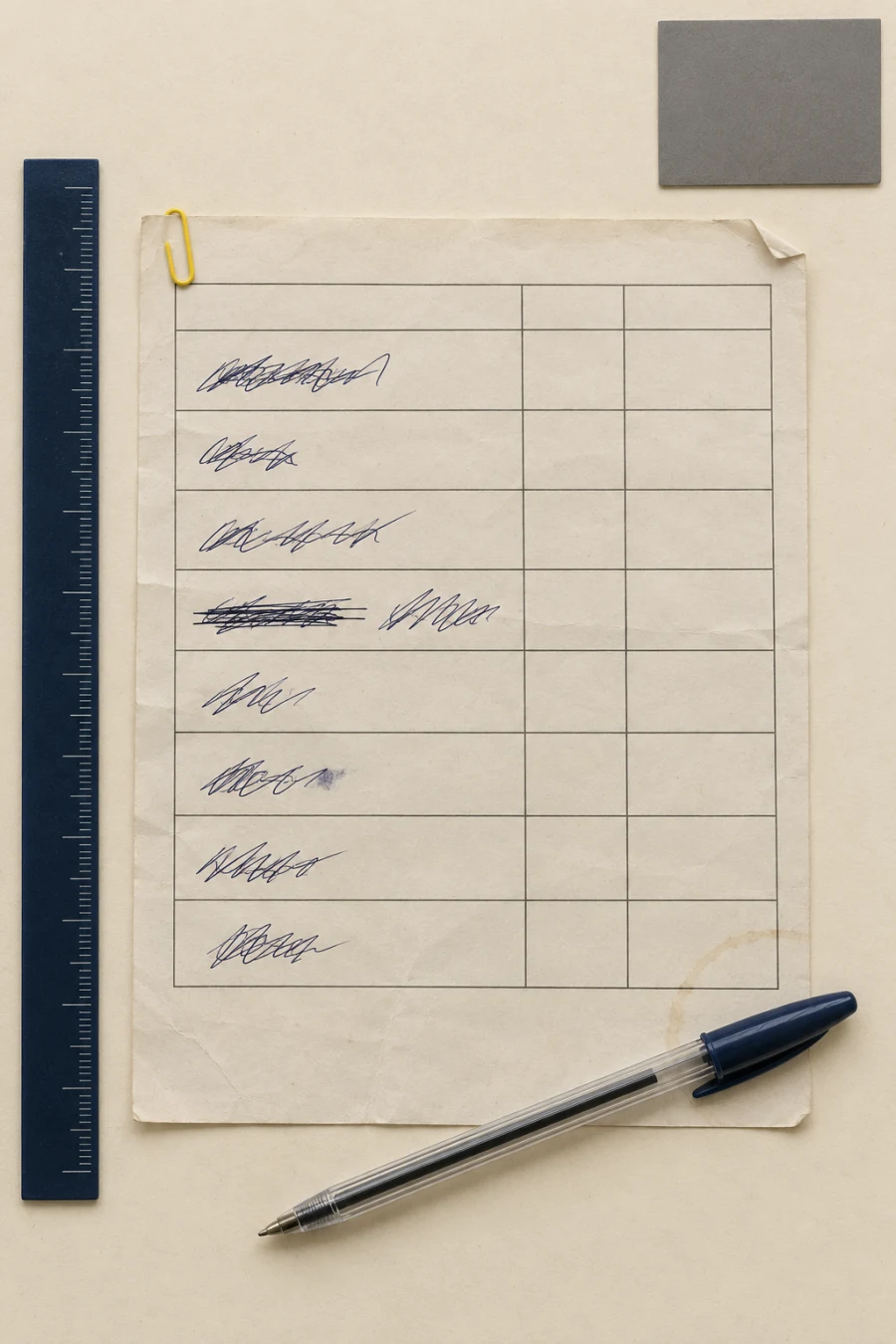
Here is what I watched. One person fills in a paper form for the whole group, usually a family. The group queues again to pay, in cash. The agent makes change, marks each pre-printed policy stub day tour or 72 hours, and signs it. Then the next group, at several stations at once, all weekend.
And the day doesn’t end when the last bus leaves. The cash, the forms and the typing all go back to the office.
A: The operation at the peak
The paper route
Every problem I found sat at a station. Step through one station below: each step opens its own note. Then switch to Phase 1 or Phase 2 to see what changed at the same spot.
B: The station model
One station of several
- Groups waiting
- 000
- Names to type
- 0000
- Payments with no policy on record
- 000
Illustrative model, not data
- Group
- Payments with no policy on record
- On record
- Staff
Fills in one paper form for the whole group: names, birthdays, length of stay
One person wrote for the whole group, so every form was in a different hand, and many were hard to read. If a misread name didn’t match a claimant’s ID, an accident claim got harder.
- AccuracyHandwriting
- ClaimsNames that don’t match
 Illustration
Paper
One form per group, two queues and cash at every station, and a second shift of work in the office after the last bus.
One station of several
01FormTourist
Fills in one paper form for the whole group: names, birthdays, length of stay
One person wrote for the whole group, so every form was in a different hand, and many were hard to read. If a misread name didn’t match a claimant’s ID, an accident claim got harder.
- AccuracyHandwriting
- ClaimsNames that don’t match
Illustration02QueueTourist
Queues again to pay
At every station, one queue to fill in the form, then a second to pay. Every group waited twice, and at the peak a group could spend 20+ minutes at the station. (note 3)
- QueuesTwo queues
- VolumeWeekend surges
03CashAgent
Takes the form and the fee in cash, and makes change
Every payment was cash, spread over several stations, some busy and some quiet. At the end of the day, more often than not, something didn’t match.
- CashCash at every station

 Illustration
04StubAgent
Marks each pre-printed policy stub day tour or 72 hours, and signs it
The stubs came pre-printed with the policy and its coverage. The agent wrote day tour or 72 hours on each one and signed it, all weekend. That signature was the only proof of cover: no system or record backed it up.
- PaperStubs signed by hand
- ControlA signature as proof
05Hand-inAgent
At day’s end, hands in the cash and forms at the office
The agents, up to 15 of them in peak season, went back to the office with the day’s cash and forms.
06AuditSupervisor
Audits each agent in turn: cash to the cent, documents counted
The supervisor audited every agent, one at a time: the cash matched to the cent, every policy document counted.
- AuditOne agent at a time

 Illustration
07TypingSupervisor (with part-time help)
Types every name into the system for the insurer
Every name written by hand was typed again by hand, after the fact. The backlog was enormous; sometimes the CEO hired part-timers just to type. Morale was at rock bottom, worst of all for the people typing.
- BacklogEntered twice

 Illustration
08InsurerInsurer
Receives the records once the backlog clears
Under all of it sat a missing control. A signed stub was the only proof of cover: nothing tied a payment to a policy on record, so no one could show that a paid tourist was insured, or that a day’s headcount was real.
- ControlNo proof of cover
Phase 1: register on the phone
Live in May 2025. Groups register on one phone on the way, and the agent’s work at the station shrinks to taking payment and writing one code.
One station of several
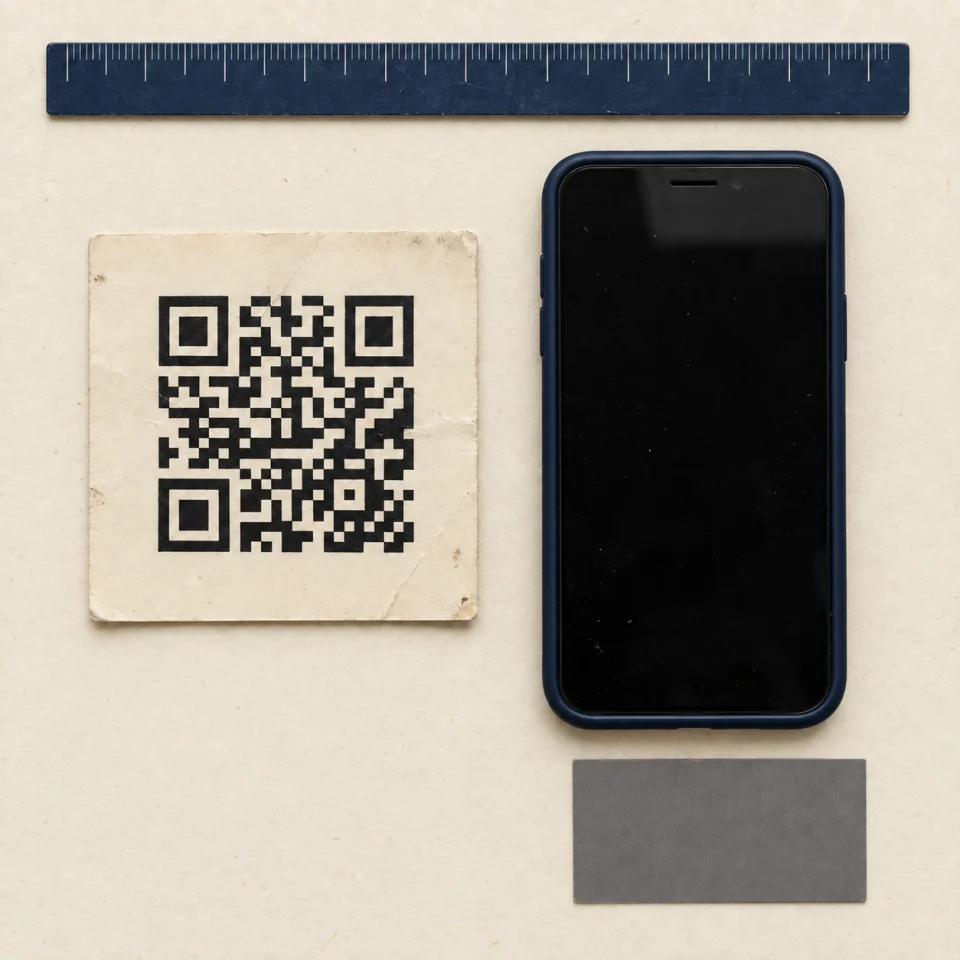
01QR codeTour guide
Hands out the printed QR code on the way
QR codes on the way
The CEO partnered with tour guides and organizers, who hand out a printed QR code. Groups register on the way and arrive ready to pay.
02PhoneTourist
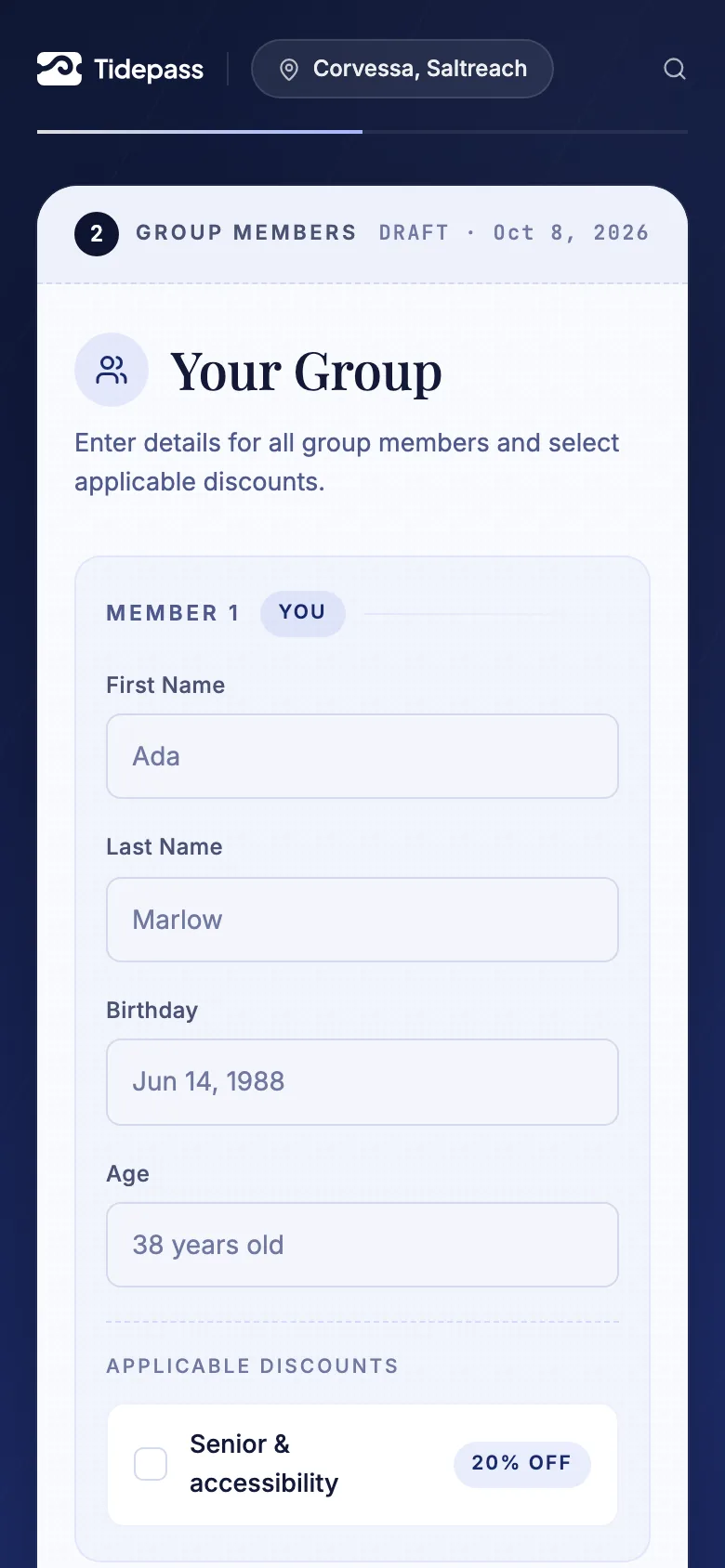
Scans it, registers the group on one phone and gets a code
A short privacy notice and FAQ, a day trip or an overnight stay, then a name and birthday for each person. The phone shows the code, the group, and the stations with their opening hours.
Phones they already carry
Most tourists carry a smartphone, and there’s got to be at least one in every tour van. One phone registers the whole group.
Register in parallel
Groups register on their own phones at the same time, instead of one by one at a station. The registration queue disappeared.
03StationTourist
Shows the code at a station and pays cash
Cash first, online next
Phase 1 kept payment in cash at the station. Online payment came with Phase 2.
Wi-Fi at the stations
In case mobile data was a problem, I proposed free Wi-Fi at the stations. The agency installed it.
04AgentAgent
Opens the code; the screen shows the group and the fee; processes it once
One click processes a registration, and no one can process the same code twice. It is recorded against the agent who processed it.
An account for every agent
Each agent signs in with their own account to process registrations, so every registration shows who handled it.
05CodeAgent
Writes the registration code on the policy stub
One code on the stub
In Phase 1 the agent writes only the registration code on the policy stub. The details are already in the system.
06TotalsTidepass
Updates the audit and the reports as each tourist is processed
Real-time audit and reports: each processed group updates the agent’s totals and the day’s report at once.
07CheckSupervisor
Checks each agent’s cash against one figure in the system
The cash each agent hands in is checked against the figure the system already holds.
08ExportSupervisor
Exports the records for the insurer, each person once
Nobody types names anymore. Each person is sent once, stamped with who sent it and when.
“No one has to type the same name twice.”
Phase 2: pay online
Live in May 2026. Register, pay online and get the policy by email, with no agent and no queue. Paying at the desk still works.
One station of several
01RegisterTourist
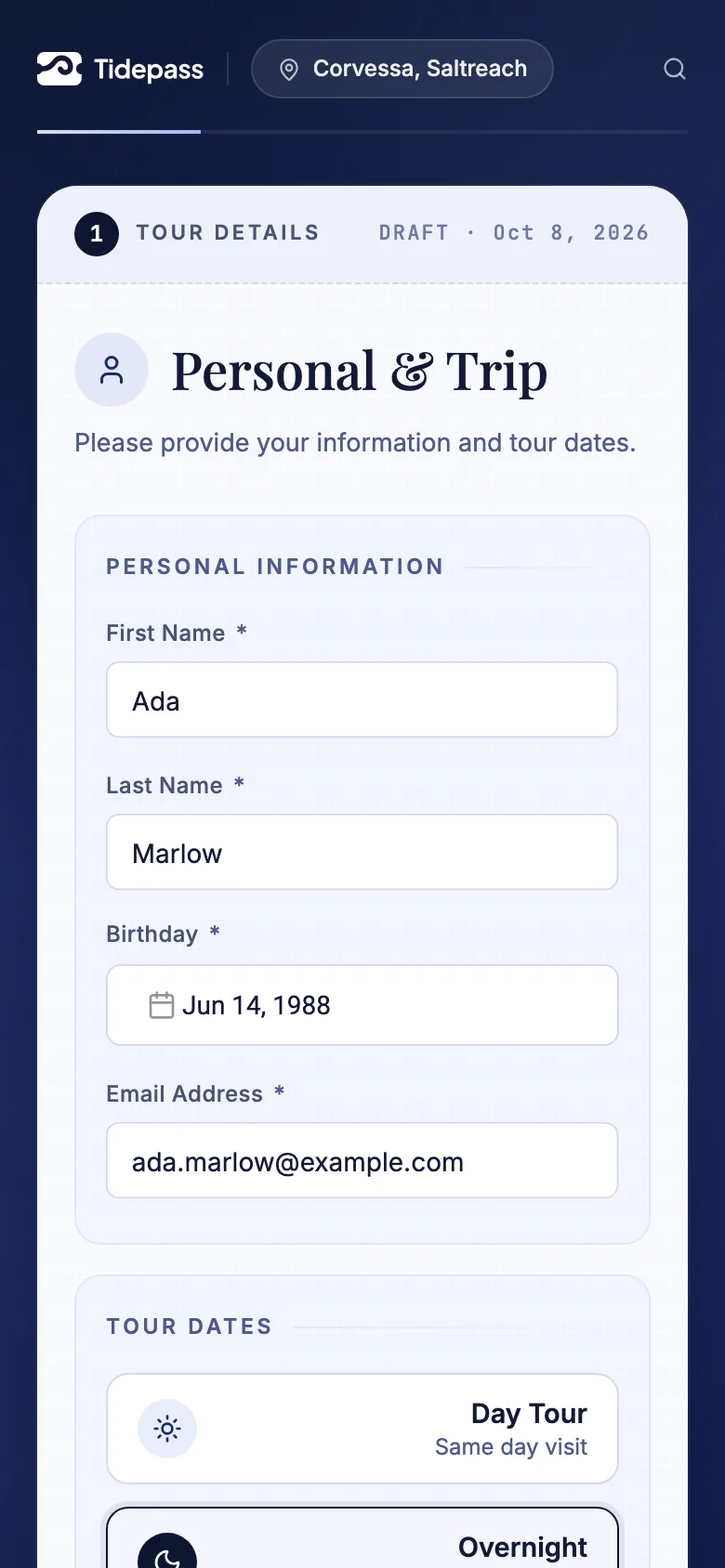
Scans the QR code and registers the group in three steps
The journey (D) shows each screen.
02FeeTidepass
Works out the fee live, then checks it again on the server
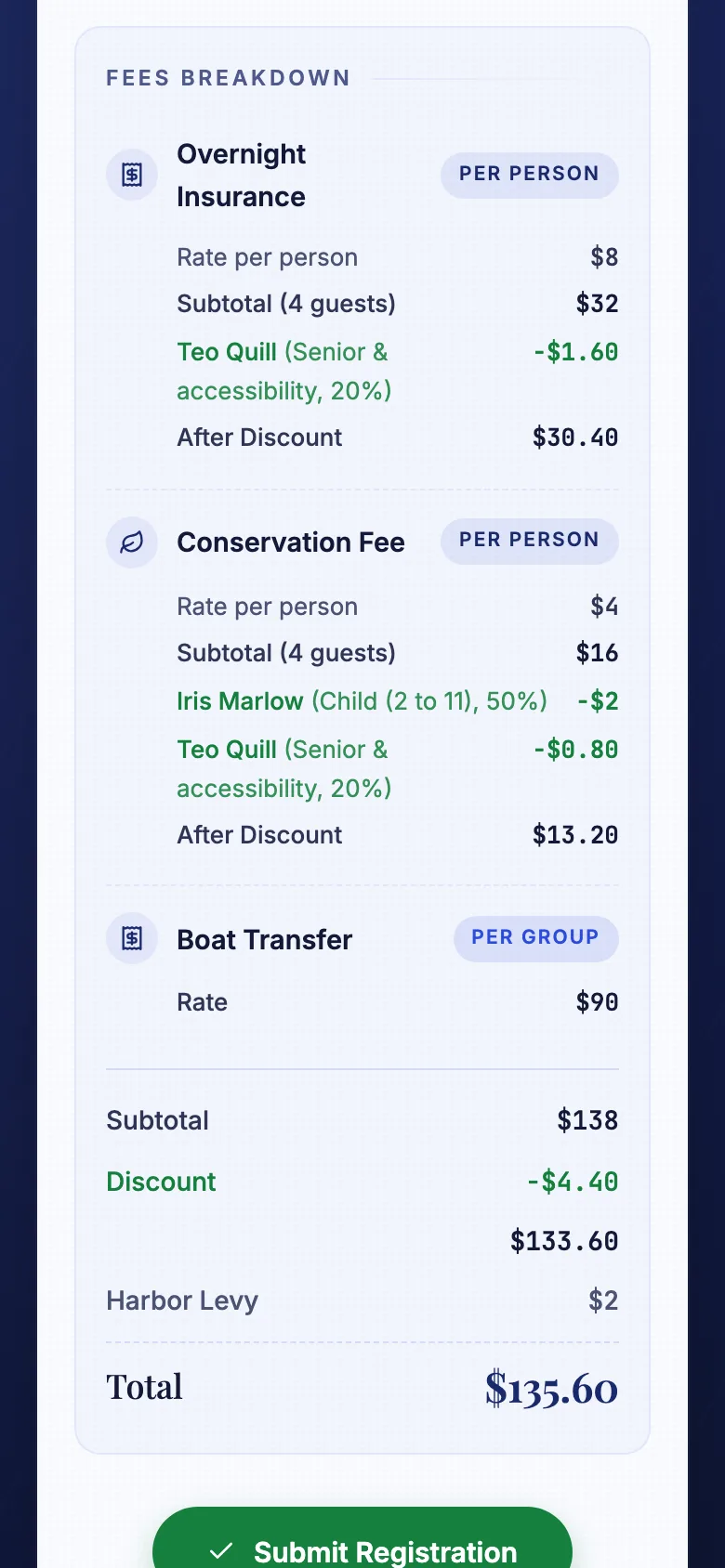
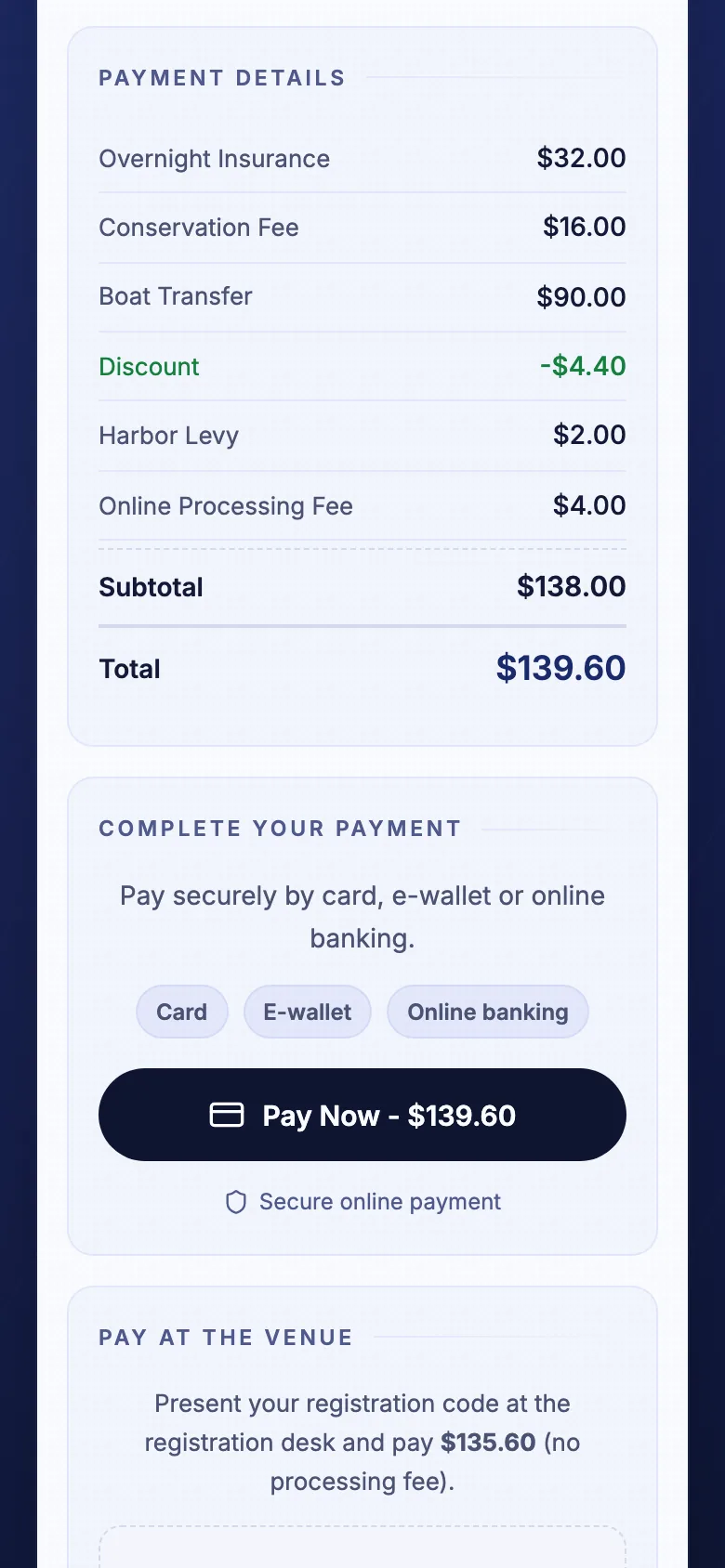
Discounts and surcharges are itemized as the tourist goes.
03EmailTidepass
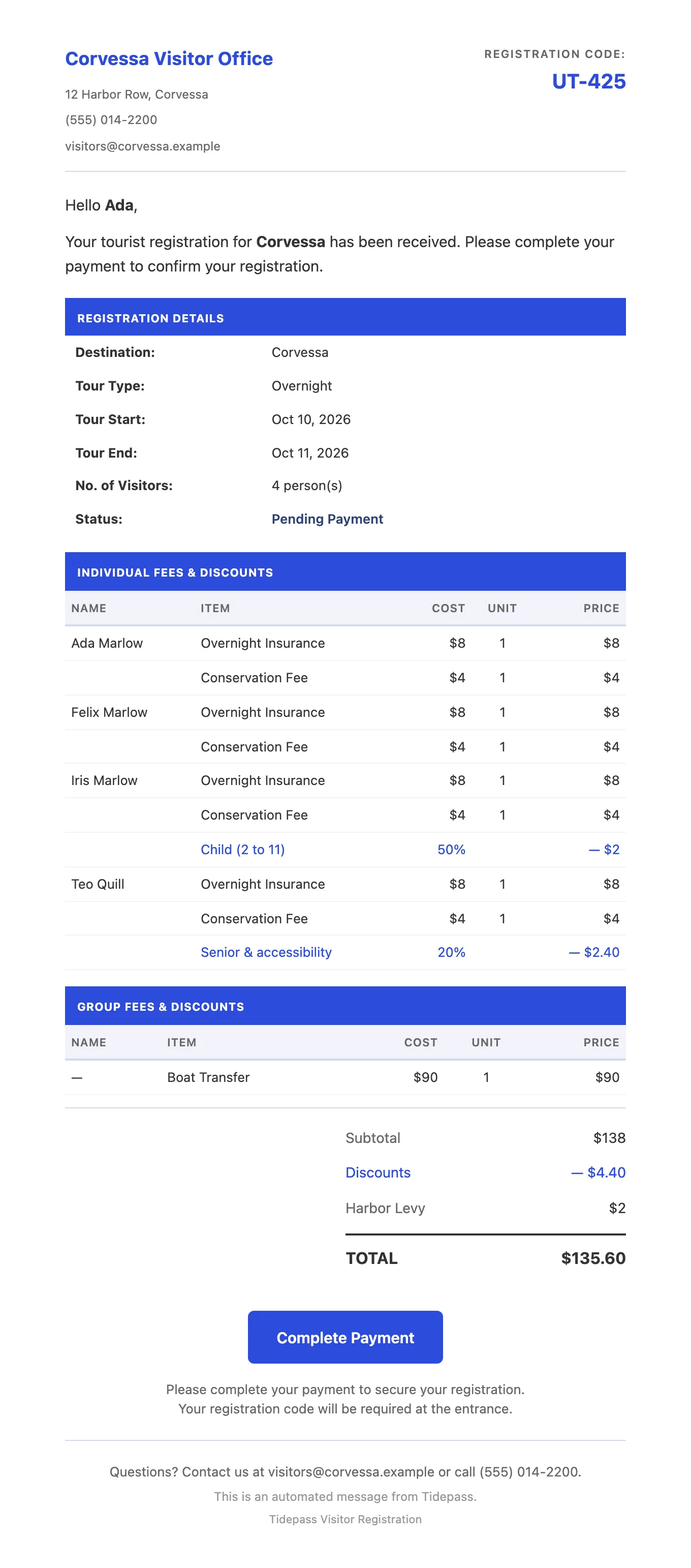
Emails a confirmation: every name and the amount owed
04aOnlineTourist
Pays now, online
Hosted checkout through an online payment gateway.
04bDeskAgent
Or confirms a cash payment at the desk in one step
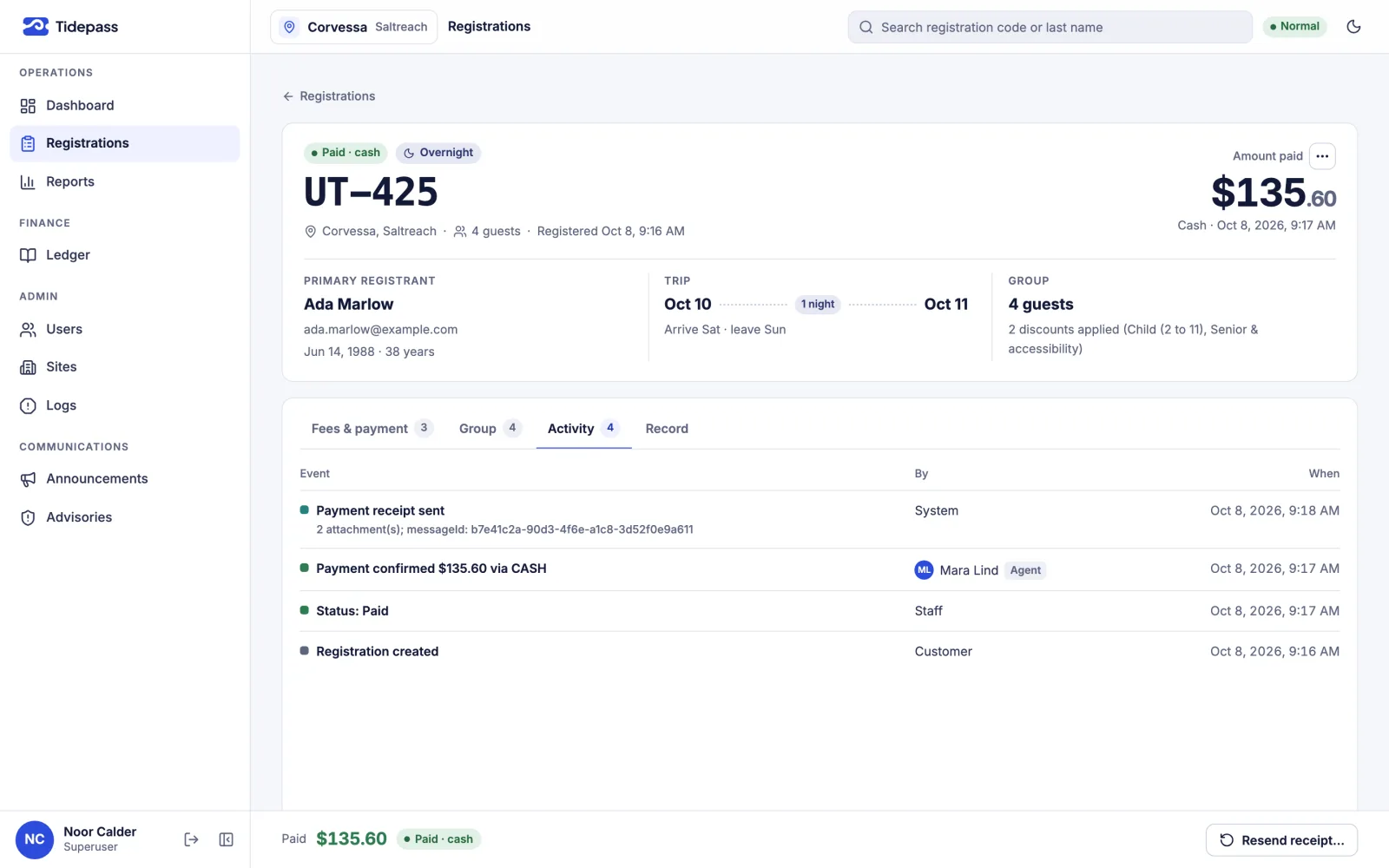
Most groups still choose the desk. Cash lands in the same audit trail as online payments.
05ReceiptTidepass
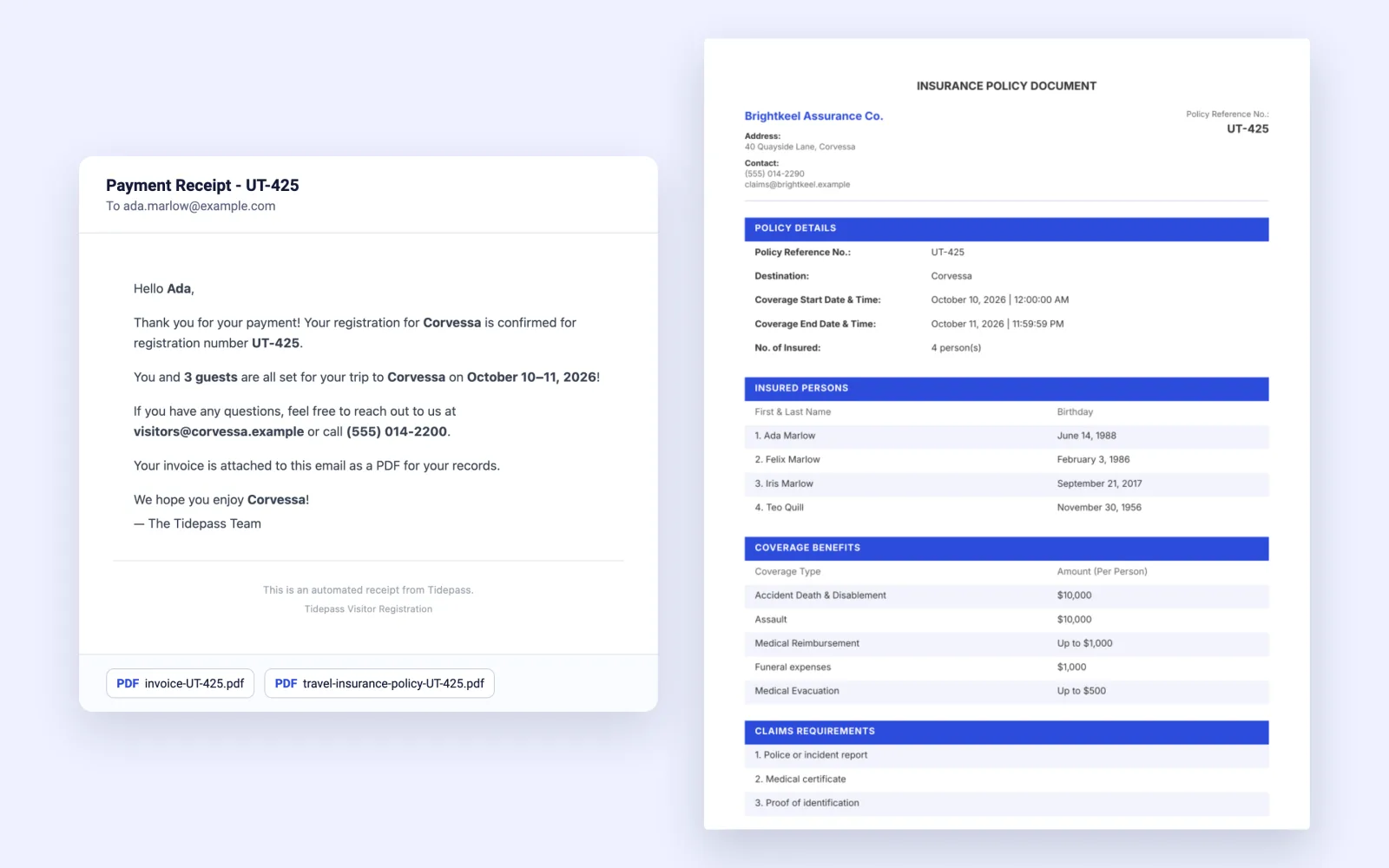
Emails the receipt with the invoice and the policy attached
Every registration includes insurance, so every group gets its policy.
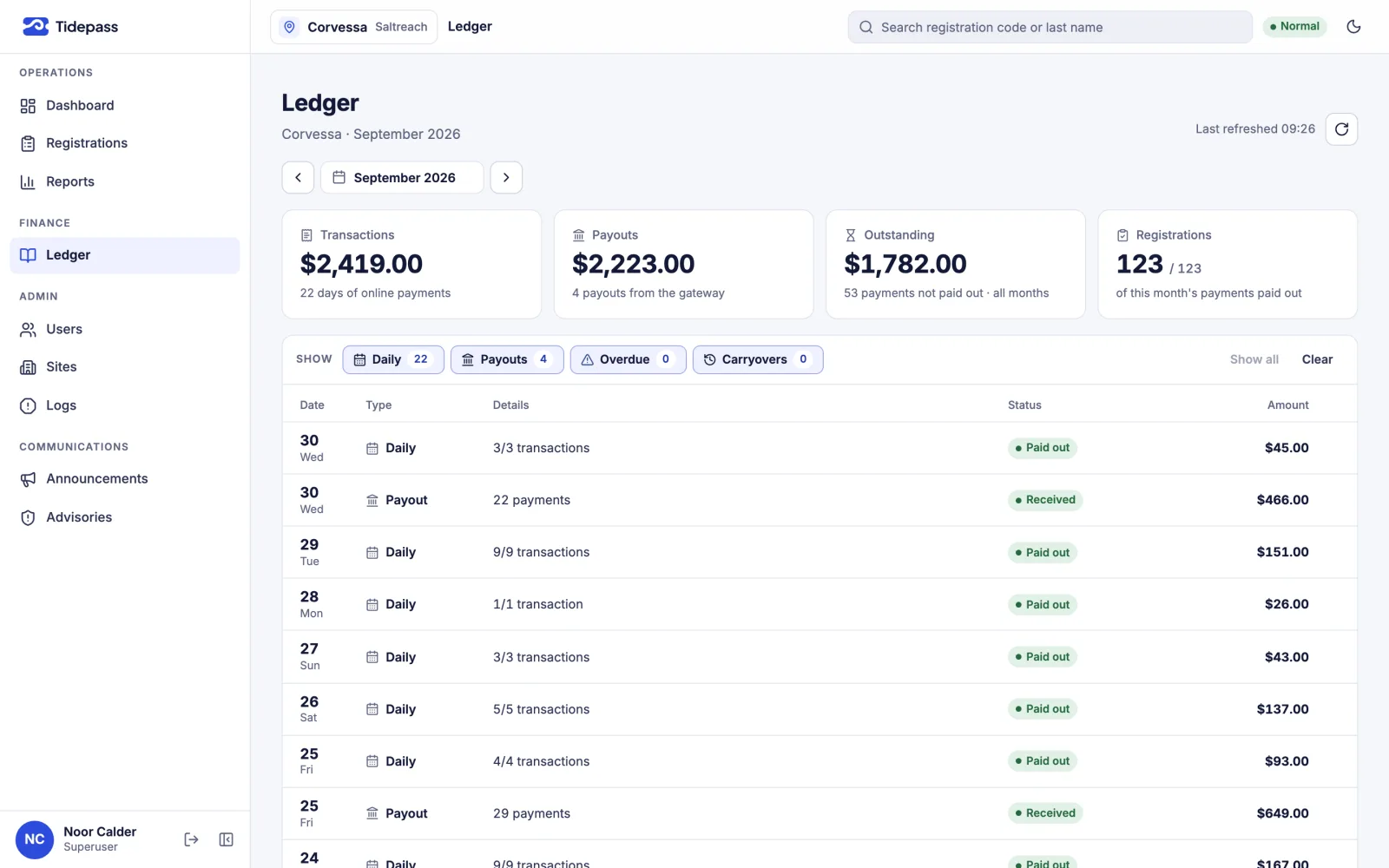
06LedgerTidepass
Logs every step, updates the reports and matches payouts twice a week
Anything overdue or missing is flagged.
07TripTourist
Goes on the trip. Paying online: under 2 minutes (note 4), no agent, no queue
“What can you do?”
After the field study, I sat down with the CEO and the staff for a long meeting and asked every question I had. Then they asked me theirs: “What can you do?”
Going digital was already the plan. How to do it came with little direction, so I had to think through everything: every step of the operation, and where technology could fit into it without slowing the weekend down.
The answer started with the phones tourists already carry. A group could register itself on the way, before it reached a station. That would remove the first queue, and the records would be in the system from the start, so nobody would type them again.
“There’s got to be at least one person in that tour van with a smartphone.”
Phase 1 · v1 · May 2025
Phase 1: register on the phone
Phase 1 went live in May 2025 at one destination. Tour guides hand out a printed QR code on the way, and one phone registers the whole group: a name and birthday for each person, then a registration code.
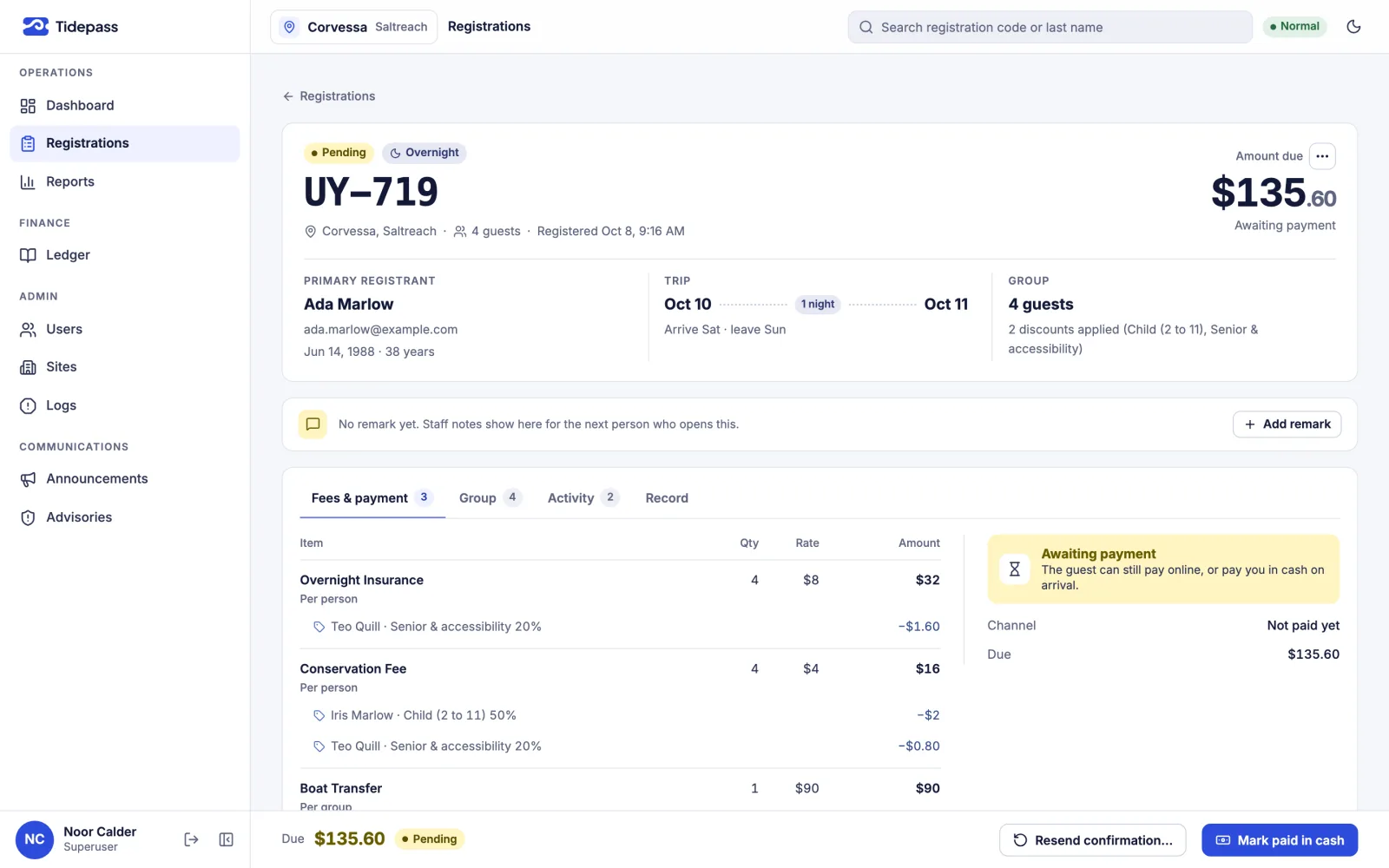
At the station, the group only pays, in cash. The agent opens the code in their own account, sees the group and the fee, and processes it once. Each payment updates the audit and the reports in real time, so the cash each agent hands in is checked against one figure in the system.
We watched Phase 1 at work for a few months and collected feedback. That was enough to decide the next move.
C: Phase 1, at the station
 Illustration
How the day changed
- The registration queue is gone. Groups register on the way.
- Names are typed once, by the tourists.
- At the station, the agent takes payment and writes one code.
- Each agent’s cash is checked against one live figure in the system.
- The office typing backlog is gone.
What Phase 1 improved
- Business agility
- Data resilience
- Accuracy
- Auditability
- Traceability
Phase 2 · v2 · May 2026
Phase 2: pay online, policy by email
Then I went further. I proposed that the agency take payments online through a payment gateway. They signed up, and I rebuilt the platform around it as v2, built to serve more than one destination. It went live in May 2026, a year after v1.
A tourist registers in three steps and sees the fee add up as they go. A confirmation email lists every name and the amount owed. They can pay online straight away, or at the desk when they arrive. Most still choose the desk.
Either way, once the payment is confirmed, the receipt arrives by email with the invoice and the insurance policy attached. Every registration includes insurance, so every group gets its policy by email, with each insured person named.
D: The journey, paying online
- TouristThe tourist scans the QR code and registers the group in three steps.
- TidepassTidepass shows the fee as it adds up, with discounts and surcharges itemized.
- TidepassTidepass emails a confirmation: every name and the amount owed.
- TouristThe tourist pays online.
- TidepassTidepass emails the receipt, with the invoice and the policy attached.
Under 2 minutes (note 4), start to finish. No agent, no queue.
Note 4: A timed average, registering and paying online, start to finish.
E: Behind the desk
What Phase 2 added
- Pay online or at the desk, with one audit trail for both.
- A policy document generated and emailed with every receipt: almost no manual work left.
- Payouts matched twice a week; anything overdue or missing is flagged.
- Six health checks a day cover normal running, not only errors, and alert me.
- Each destination set up automatically: its own database, security rules, indexes and backups.
F: What it does today
Everything below runs in production. Open a group to see it.
For tourists
- Register in three steps: the trip, the group, the fee
- See the fee as you go, with discounts and surcharges itemized; the server recalculates it before anyone pays
- Accept the destination’s terms and privacy policy, versioned and timestamped
- Get a suggestion when an email address looks mistyped
- Find a registration again by code, or by last name and birthday
- Pay now online, or at the desk with the registration code
Payments
- Hosted checkout through an online payment gateway
- The amount recalculated on the server before checkout
- Payment notifications verified by signature and applied exactly once
- Cash confirmed at the desk and recorded against the agent, in the same audit trail as online payments
Email and documents
- A confirmation email listing every registered name and the amount owed
- A receipt email with the invoice and the insurance policy attached, generated with no manual step
- Policy documents generated from a template the agency edits
- Delivery that retries on failure; staff can resend or regenerate from the record as it was issued
- Delivery tracking: sent, delivered, bounced, opened
For staff
- Registrations by status, with accent-insensitive search and a full detail view
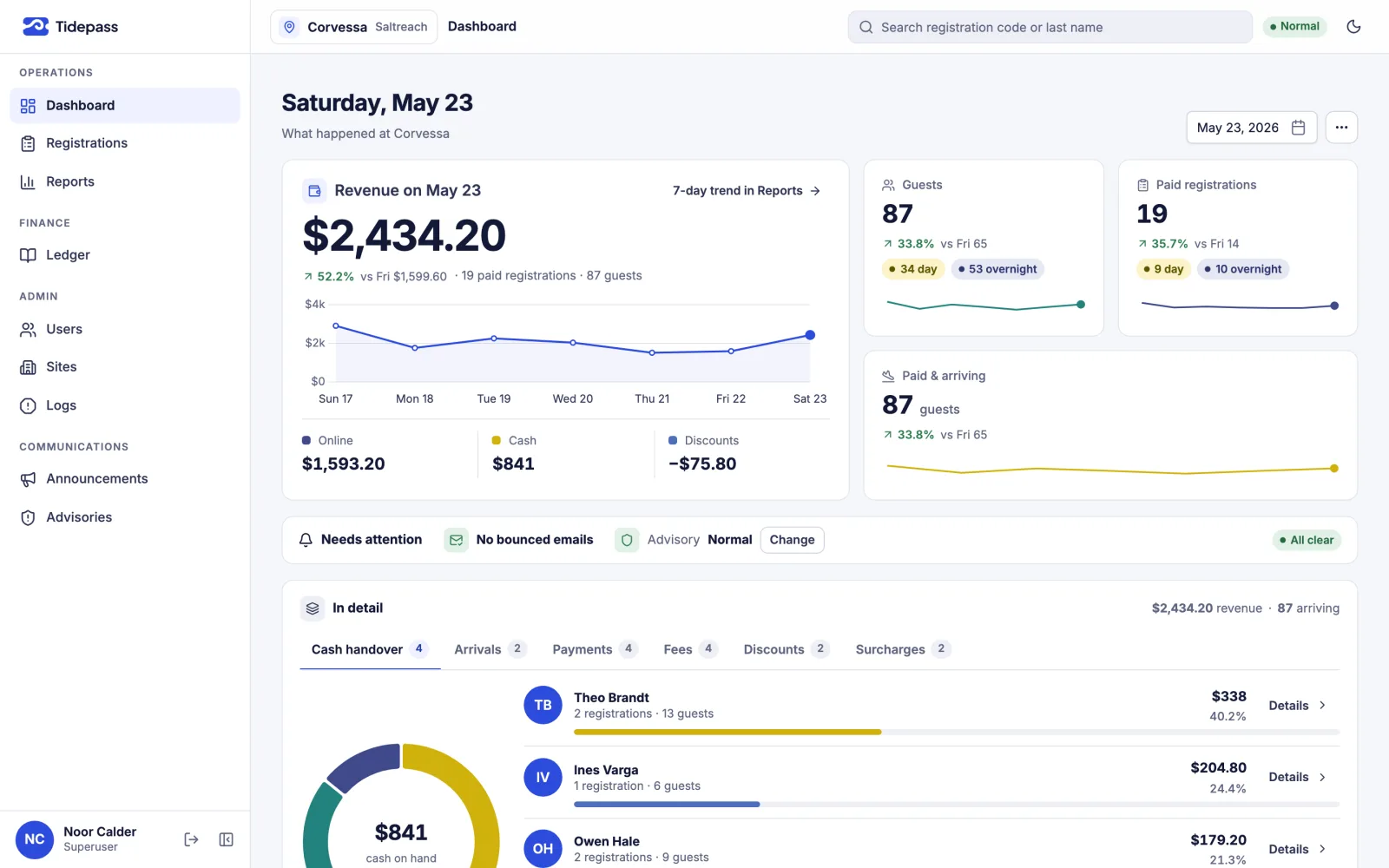
- A dashboard of revenue, arrivals, payments and the cash each agent took
- Reports on demand, from anywhere: financial reports and names lists, as CSV or PDF
- User and access management in the browser: roles from agent to administrator, and site access
- Site settings in the browser: fees, discounts, surcharges, policies and the policy template
- Announcements for staff, and advisories for tourists; the most serious advisory pauses registration
Audit and reliability
- An activity log on every registration: who did what, and when
- Reports that update as each tourist is processed
- A reconciliation ledger: gateway payouts checked twice a week against what was collected, overdue and missing flagged
- Health checks six times a day on normal running, not only errors, with alert emails for stuck payments
- An incident log on every critical path, and report regeneration with a discrepancies view
- Bot protection, rate limits, input sanitizing and file-upload checks
Set up per destination
- Its own isolated database, created automatically when a destination is added
- Security rules generated for that destination, so its data stays separate
- Access scoped by destination: staff see only the destinations they’re assigned
- Indexes, point-in-time recovery and delete protection, set up automatically
- Weekly backups, kept for 14 weeks
- Default settings seeded, with live progress shown in the admin
What changed
The control that was missing is now in place: every payment is tied to a registration, a receipt and a policy, and to the agent or gateway that took it.
We didn’t cut staff; we cut the effort they put in. Morale improved significantly in Phase 1, and a little more in Phase 2. And when the CEO asks for a number, nobody counts anymore: the data is there, anywhere, on demand, to plan how many staff a weekend needs.
G: On paper, and with Tidepass
| Topic | On paper | With Tidepass |
|---|---|---|
| Registration | On paperA paper form per group, in one person’s handwriting | With TidepassEach group registers on one phone, on the way |
| Queues | On paperTwo queues at every station: one to register, one to pay | With TidepassOne queue to pay, or none for online payers |
| Names | On paperRead from handwriting, then typed again in the office | With TidepassTyped once, by the tourists themselves |
| Payment | On paperCash only, change made at the station | With TidepassPay online, or at the desk |
| Policy | On paperA pre-printed stub, marked and signed by hand; no record behind it | With TidepassA policy document generated and emailed with the receipt, on record |
| Back office | On paperA backlog of names to type for the insurer | With TidepassNo re-typing: the records are already in the system |
| Audit | On paperEvery agent audited in turn, documents counted by hand | With TidepassReal-time audit and reports, updated as each tourist is processed |
| Cover proof | On paperOnly a signature: no way to show a paid tourist was insured | With TidepassEvery payment tied to a registration, its receipt and its policy |
| Staff effort | On paperA second shift of counting and typing; morale at rock bottom | With TidepassThe same team, far less effort; morale up in both phases |
| Reporting | On paperCounted by hand whenever someone asked for a number | With TidepassOn demand, anywhere: data to plan staffing and run the business |
H: By the numbers
- 135,000+tourists registered since launch
- Zerodowntime since launch (note 2)
- Zeroaccounting discrepanciesChecked in daily, weekly and monthly audits since launch.
Since launch
- Operational
- Degraded
Bars illustrative
I: Faster, and no re-typing
Time per group, by group size
- On paper
- Paying online
- Queue at peak
Note 5: An estimate: the tourists registered since launch, times an average of 30 seconds to type one handwritten record.
Paying online
- Under 2 minfrom scan to paid, paying online (note 4)
- 0agent steps when a tourist pays online
- 2 → 0queues for a group that registers and pays online
Still running
“Launch was day one, not the finish line.”
I’ve supported the platform without a break since May 2025. I tested v1 on local emulators, which can’t reproduce real network traffic or live payment and email services. From v2 on, every release is rehearsed first on a full copy of production. v2 and v3 shipped without interrupting service, and no v1 record was lost.
Support means more than fixes. Since v2 went live, reconciliation runs across destinations, and health checks six times a day confirm that payments and statuses run normally. When something needs attention, they email me.
v3 shipped in October 2026: a redesigned admin with light and dark themes and a rebuilt dashboard, reports and ledger; a redesigned guest app; fixes from a full system audit that tighten payments, privacy and access; and an upgraded runtime.
J: Release history
Live · single-site launch
Shipped
Phase 1. Phone registration with a code, an account for every agent, live totals per agent and export to the insurer. Cash at the station.
Multi-tenant rebuild
Shipped
Phase 2. Online payment, generated policy documents, a reconciliation ledger, health checks, user and access management, and automatic setup for every destination.
Redesign and hardening
Shipped
A redesigned admin and guest app, a rebuilt dashboard, reports and ledger, fixes from a full system audit, and runtime and dependency upgrades.
Continuous support since launch. Two major updates, both shipped.
Something still running on paper?
Work with me
Tell me what you’re building and where it stands. I take on new products, rebuilds and long-term support. I’ll reply by email.
Next in Work
Invita
Mobile-first digital invitations. Guests RSVP from their phone without signing in.
Live, Read the case study